Step 1
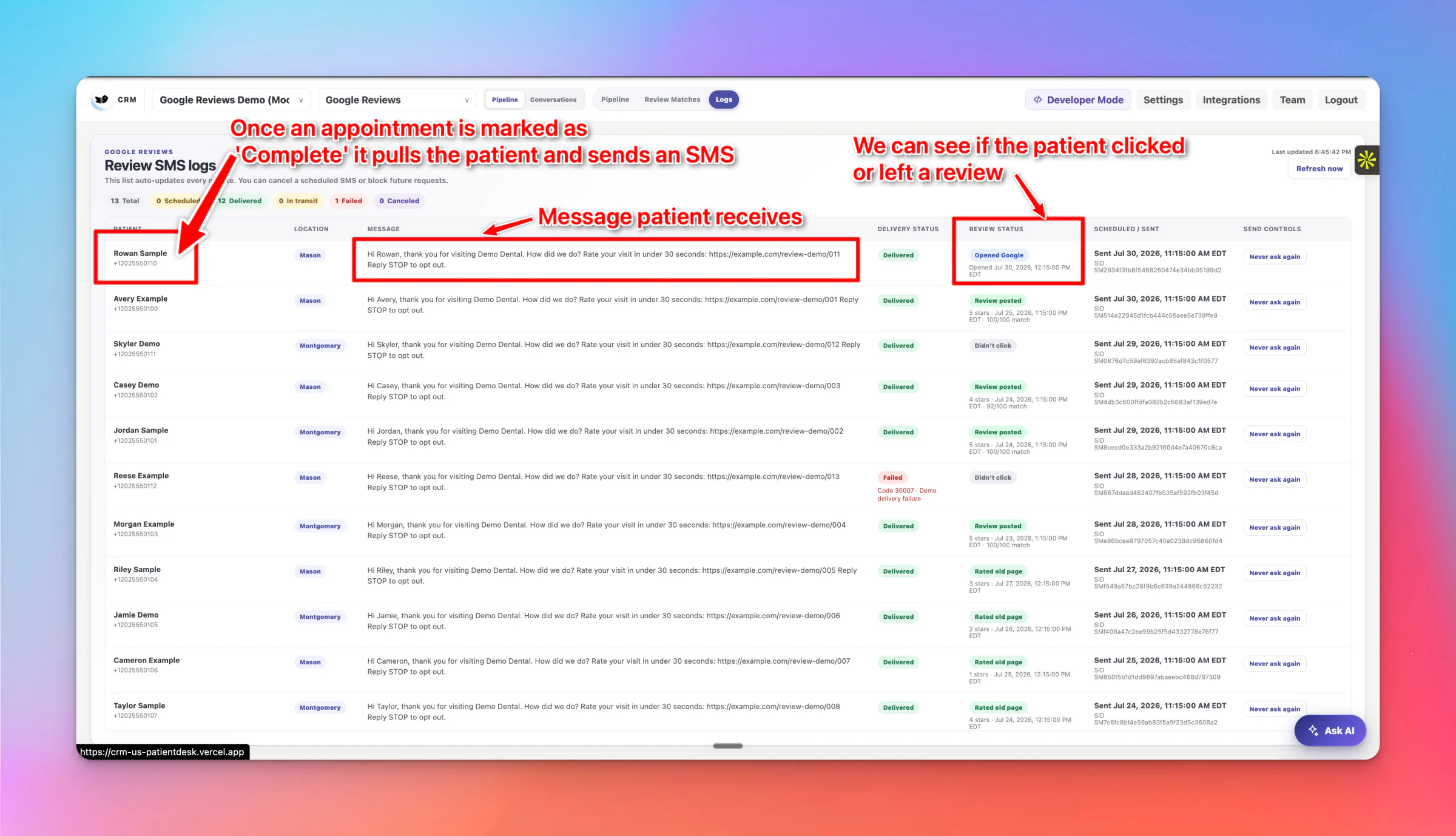
Patientdesk sends the request
When an appointment is marked completed in your practice management system, Patientdesk sends the SMS and records delivery, clicks and review status.

Google Review Automation for dental practices
After each completed appointment, Patientdesk texts the patient a Google review request and tracks the result.
Four steps in the real Patientdesk dashboard. Works with Dental4Windows, Open Dental, Core Practice, Dentrix and other major practice management systems.
Step 1
When an appointment is marked completed in your practice management system, Patientdesk sends the SMS and records delivery, clicks and review status.
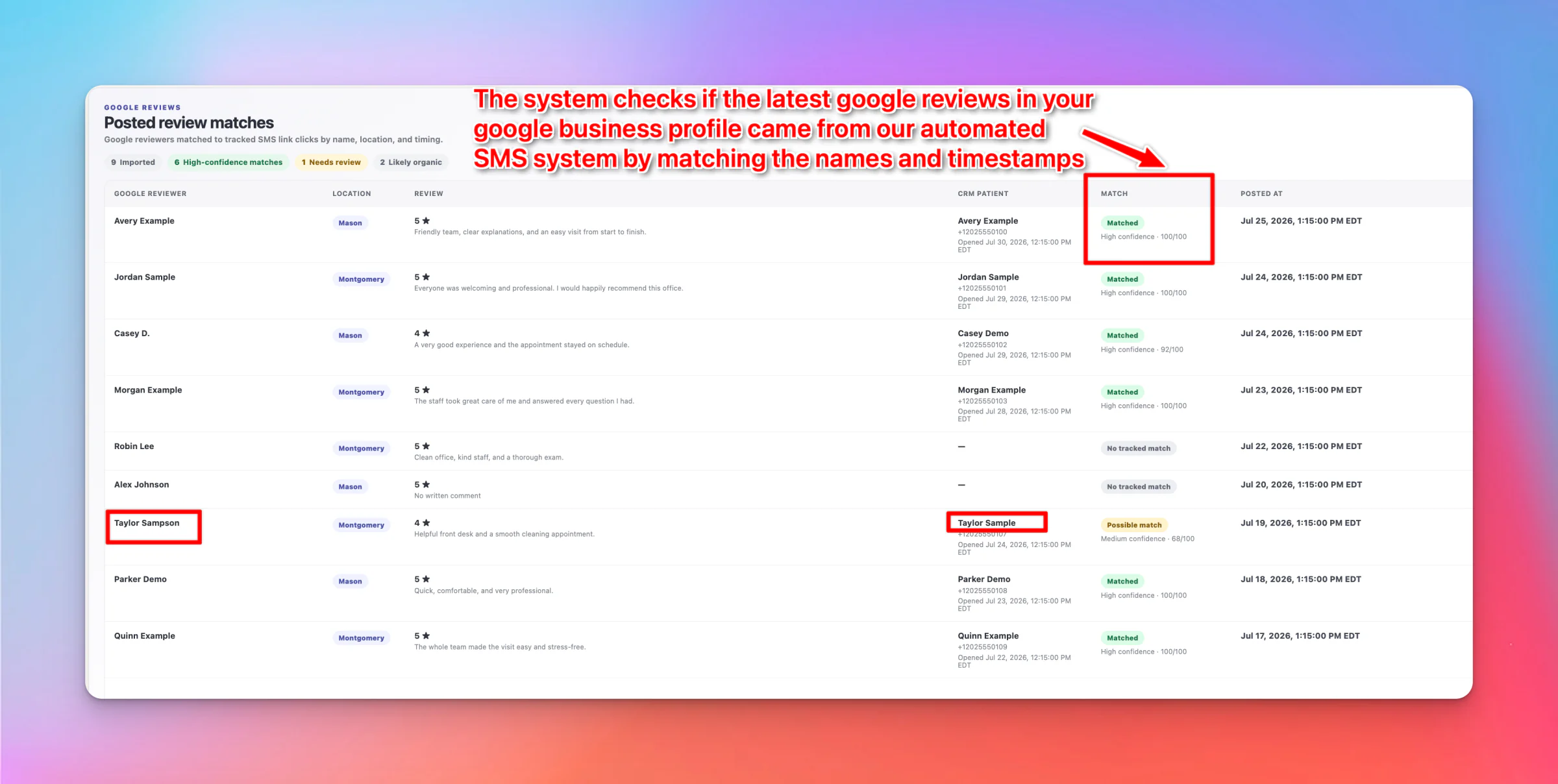
Step 2
New Google reviews are matched to the patients who were asked, using name, location and timing.
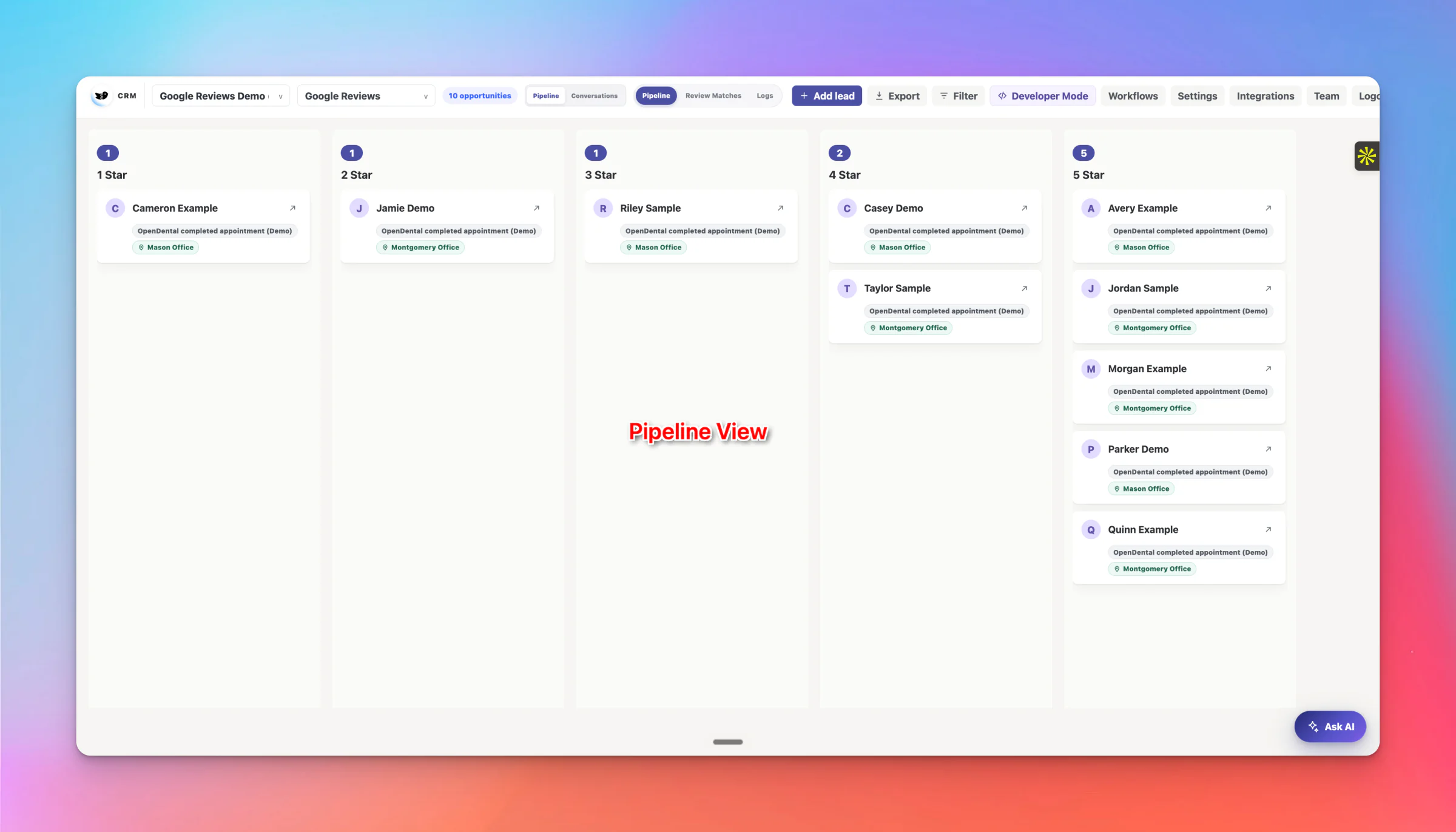
Step 3
Matched reviews appear in one pipeline, sorted by star rating. No spreadsheet to keep up to date.
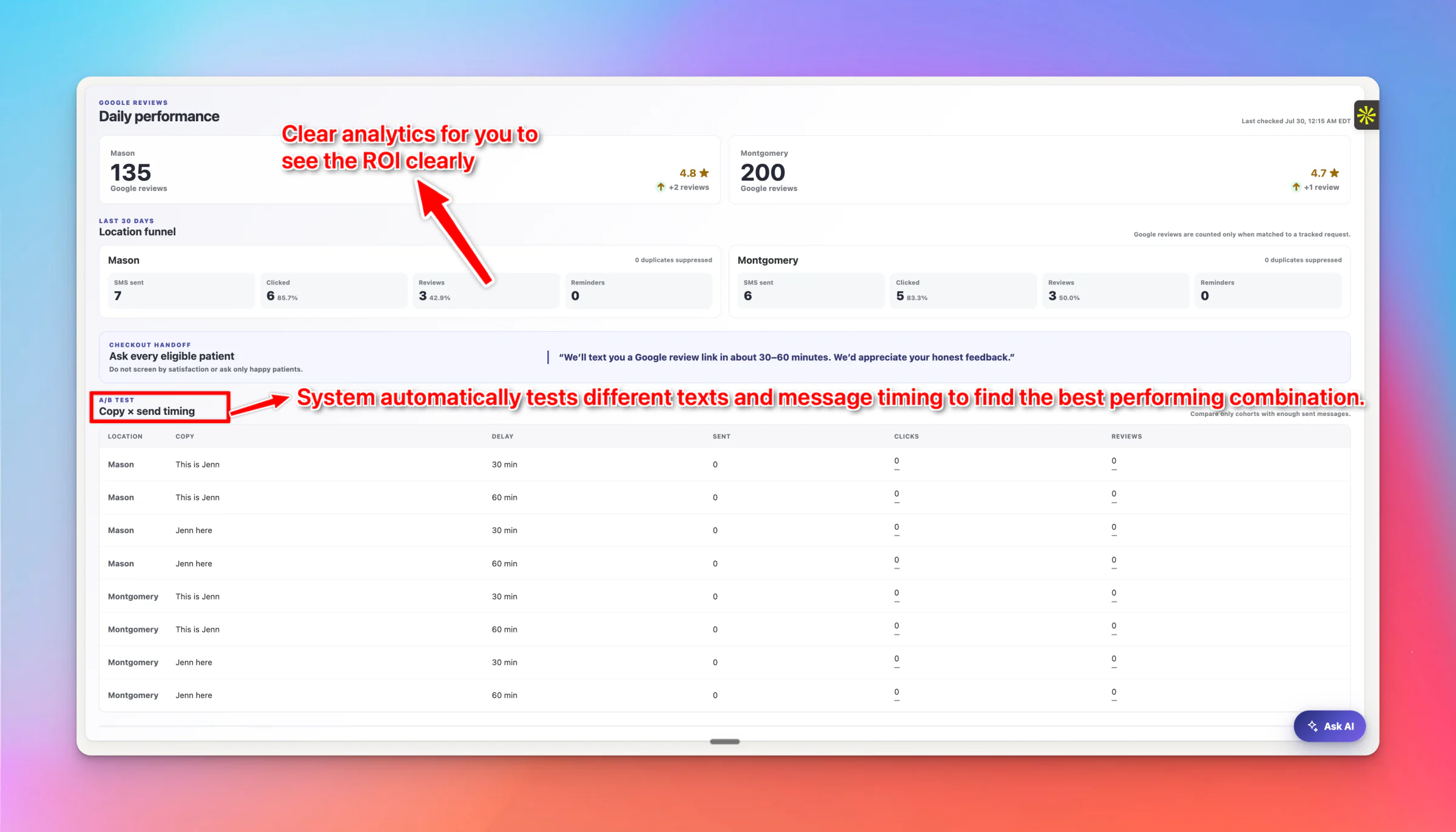
Step 4
Track sends, clicks, matched reviews and message tests for each location, day by day.
Kings Dental: 5 new 5-star Google reviews in the first 5 days.
The SMS goes out when the appointment is completed in your PMS.
Each new review is matched to the patient who was asked.
One pipeline, sorted by rating, tracked per location.
No gating, no incentives. Rules approved with you first.
Works with your PMS







From the practices we work with
Dr. Jack Yang
Infinity Dental Care
Dhanya CV
NOA Dental Clinic
Dr. Linish Sagar
NOA Dental Clinic
★★★★★
San has provided consistent and great service every step of the way.
Peter Laird · Google review
★★★★★
Would recommend. Responsive and great team to work with.
bhanu shamdasani · Google review
★★★★★
Excellent team to work with, they are selfless, very hardworking, and they always provide significant value.
Ali Villegas · Google review
Next step
Tell us about your practice, then pick a time.
1 of 10 · Qualification